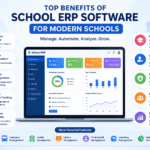
Top 10 School ERP Software Features for 2026

erp for school

Top 10 Features Every Modern School ERP Software Must Have in 2026

  • Centralized Student Information System
  • AI-Powered Analytics and Reporting
  • Automated Admissions and Enrollment
  • Smart Fee Management with Digital Payments
  • Automated Attendance Tracking
  • Timetable and Academic Scheduling
  • Parent and Teacher Communication App
  • Cloud-Based Architecture with Mobile Access
  • Exam Management and Digital Report Cards
  • Data Security and Regulatory Compliance. Schools that invest in an ERP system with these features can reduce administrative workload by up to 40%, improve parent satisfaction, and meet compliance requirements under frameworks such as NEP 2020 and the DPDP Act.

Introduction

Running a school in 2026 is not just about classrooms and curricula. It is about managing thousands of data points student records, fee cycles, staff payroll, transport routes, parent communication, exam schedules, and government compliance every single day.

If your school still relies on disconnected spreadsheets, manual registers, or outdated software that cannot keep up, you are already behind. Slow processes frustrate staff. Communication gaps alienate parents. Compliance deadlines get missed.

This is where school ERP software steps in.

A school ERP (Enterprise Resource Planning) system is a centralized digital platform that integrates every academic and administrative function into one unified interface. Instead of juggling five or six separate tools, your entire school runs on a single system from admissions to alumni records.

But not all ERP systems are equal. The features that were considered adequate in 2022 are no longer sufficient. In 2026, schools need AI-driven analytics, real-time mobile access, regulatory compliance automation, and data privacy safeguards that older platforms simply cannot provide.

Whether you are a school principal evaluating your first ERP, an IT head preparing an RFP, or a trust director comparing vendors across a school chain, this guide breaks down the 10 school ERP software features that truly matter this year and explains why each one deserves a place on your checklist.

Feature 1: Centralized Student Information System (SIS)

What It Is

A Student Information System is the foundational module of any school ERP software. It serves as a single, centralized database that stores every student’s academic records, personal details, enrollment history, attendance data, health records, and performance metrics all accessible from one dashboard.

Why It Matters in 2026

Schools managing 500 to 5,000+ students cannot afford scattered data across registers, spreadsheets, and disconnected tools. A centralized SIS eliminates duplicate records, reduces manual errors, and ensures that authorized staff can pull up any student’s complete profile in seconds.

In India, the UDISE+ framework now requires schools to submit verified student-level data annually including Aadhaar mapping and demographic details. A well-built SIS generates these reports automatically, saving weeks of manual compilation.

What to Look For

  • Unified student profiles covering academics, attendance, fees, transport, and co-curricular activities
  • Quick search and filtering across the entire student database
  • Role-based access so teachers, administrators, and management see only what they need
  • Built-in data export for UDISE+ and board-level compliance reporting
  • Transfer certificate and document generation from stored records


What is a Student Information System?

Feature 2: AI-Powered Analytics and Reporting

What It Is

AI-powered analytics in a school ERP software goes beyond basic dashboards. It uses machine learning algorithms to analyze historical data attendance patterns, exam scores, fee payment behavior, enrollment trends and produces actionable insights and predictions that school leaders can use for decision-making.

Why It Matters in 2026

Data without interpretation is just noise. In 2026, the best school ERP platforms include early warning systems that flag at-risk students before their grades drop. They offer enrollment forecasting based on historical inquiry data and local demographics. They surface patterns like a sudden spike in absenteeism in a particular class that would take weeks to spot manually.

For school chains and trusts managing multiple campuses, AI analytics enables cross-campus performance benchmarking from a single dashboard.

What to Look For

  • Predictive analytics for student performance and dropout risk
  • Automated report generation for management, teachers, and board compliance
  • Visual dashboards with real-time data on attendance, fees, and academics
  • Enrollment trend forecasting for budget and resource planning
  • Customizable report templates that match your school board’s requirements (CBSE, ICSE, State Board)


Practical Tip: Ask your ERP vendor for a demo of their analytics module with your actual data. A pre-built demo with sample data often hides performance limitations that only appear with real-world complexity.

Feature 3: Automated Admissions and Enrollment Management

What It Is

An online admission management system within the ERP digitizes the entire enrollment lifecycle from initial inquiry and application submission to document verification, entrance test scheduling, merit list generation, and seat allocation.

Why It Matters in 2026

The admissions season is the most resource-intensive period for any school. Manual processes create bottlenecks: lost applications, data entry errors, delayed communication with parents, and no visibility into conversion rates from inquiry to enrollment.

A modern school ERP automates every step. Parents apply online, upload documents, make admission fee payments, and receive real-time status updates all without stepping into the school office. Administrators get a centralized pipeline view showing exactly where each application stands.

What to Look For

  • Online application forms with customizable fields for different grade levels
  • Automated document collection and verification checklists
  • Merit list and lottery-based seat allocation tools
  • Inquiry-to-enrollment pipeline tracking with conversion analytics
  • Integration with the fee management module for admission fee collection
  • Communication triggers automated emails and SMS at each stage


How to streamline your school’s admissions process

Feature Comparison: Legacy System vs. Modern School ERP (2026)

CapabilityLegacy / Manual SystemModern School ERP (2026)
Student recordsPaper files or scattered Excel sheetsCentralized digital SIS with instant search
AnalyticsManual report compilation, weeks to produceAI-powered dashboards with real-time insights
AdmissionsPaper forms, in-person visits, manual trackingOnline portal with automated pipeline tracking
Fee collectionCash/cheque, manual receipts, delayed reconciliationUPI/digital payments, auto-receipts, real-time dashboards
AttendanceManual roll call, paper registersBiometric/RFID with instant parent notifications
TimetableManual creation, days or weeks to prepareAlgorithmic generation in minutes
Parent communicationPrinted circulars, phone callsMobile app with push notifications and messaging
InfrastructureOn-premise servers, manual backupsCloud-hosted, auto-backups, 99.9% uptime
Exam managementManual marks entry, printed report cardsDigital report cards with NEP 2020 compliance
Data securityBasic passwords, no audit trailEncryption, RBAC, DPDP Act compliance, audit logs

How to Choose the Right School ERP Software in 2026

Selecting an ERP is a decision that will affect your school for years. Here is a practical framework:

Step 1: List your non-negotiable requirements. Use the 10 features above as your baseline. Add any school-specific needs like hostel management, transport GPS tracking, or multi-branch support.

Step 2: Evaluate deployment options. Cloud-based ERP is the right choice for most schools lower cost, faster updates, and no infrastructure headaches. Consider on-premise only if your institution has a strict data residency policy that cannot be met with in-country cloud hosting.

Step 3: Request a demo with your own data. Do not evaluate an ERP on a pre-loaded demo with perfect sample data. Upload your actual student records, fee structures, and timetable constraints. This reveals real-world performance and usability.

Step 4: Check references. Ask the vendor for contact details of 3 to 5 schools similar to yours in size and board affiliation. Call them. Ask about implementation timelines, support quality, and uptime.

Step 5: Understand total cost of ownership. Per-student pricing looks cheap until you add implementation fees, training costs, customization charges, and annual escalation clauses. Get the full picture in writing.

India Focus: NEP 2020 and DPDP Act Compliance

For schools in India, two regulatory frameworks make ERP adoption not just smart but necessary.

NEP 2020 Compliance: The National Education Policy mandates competency-based assessment, holistic report cards, flexible academic scheduling, and detailed data reporting. Schools renewing CBSE or state board affiliation are being evaluated on their NEP compliance readiness. A modern school ERP with configurable assessment modules, UDISE+ data export, and NEP-aligned report card templates is the most practical way to meet these requirements.

DPDP Act Compliance: With the Digital Personal Data Protection Act partially in effect since November 2025 and full enforcement expected by May 2027, schools must implement verifiable parental consent, data minimization practices, and breach notification processes. Your ERP vendor must have a clear DPDP compliance roadmap not vague promises.

NEP 2020 compliance checklist for schools

Frequently Asked Questions (FAQs)

What is school ERP software?

School ERP software is a centralized digital platform that integrates all academic and administrative operations including student records, admissions, fee management, attendance, timetabling, exams, communication, and reporting into a single unified system. It replaces disconnected tools and manual processes with an automated, data-driven approach to school management.

What are the most important features of school ERP software in 2026?

The 10 most important school ERP software features in 2026 are: a centralized student information system, AI-powered analytics, automated admissions, smart fee management with digital payments, automated attendance tracking, timetable scheduling, a parent and teacher communication app, cloud-based architecture, exam management with digital report cards, and data security with regulatory compliance.

How is school ERP different from school management software?

The terms are often used interchangeably, but a school ERP is typically more comprehensive. While school management software may cover basic functions like attendance and fee collection, a full ERP integrates every department academics, finance, HR, transport, communication, and compliance into a single platform with shared data and workflows.

Is cloud-based school ERP better than on-premise?

For most schools, yes. Cloud-based school ERP offers lower upfront costs, automatic updates, built-in disaster recovery, and access from any device or location. On-premise may be preferred by large institutions with strict data sovereignty requirements, but cloud platforms with in-country data centers (such as AWS Mumbai or Azure India) address this concern for most Indian schools.

How much does school ERP software cost?

Pricing varies widely depending on the vendor, features, and school size. Cloud-based platforms typically charge ₹50 to ₹200 per student per year for mid-sized Indian schools. Enterprise solutions for large school chains may cost significantly more. Always calculate total cost of ownership, including implementation, training, and annual renewal fees.

Can school ERP software help with NEP 2020 compliance?

Yes. A modern school ERP with NEP 2020 compliance features can automate competency-based assessments, generate holistic report cards, support flexible academic scheduling, and export data in UDISE+ prescribed formats — meeting the administrative requirements of NEP implementation.

Is school ERP software secure for storing student data?

A well-built school ERP uses end-to-end encryption, role-based access controls, multi-factor authentication, and audit logging to protect sensitive data. In 2026, Indian schools must also ensure their ERP complies with the DPDP Act requirements for children’s data, including verifiable parental consent and data minimization.

Conclusion

The features listed in this guide are not aspirational — they are the baseline for any school ERP software worth considering in 2026. AI analytics, automated admissions, digital payments, real-time parent communication, cloud architecture, and DPDP Act compliance are not premium add-ons. They are table stakes.

If your current system does not offer these capabilities, it is holding your school back — operationally, financially, and in the eyes of parents who now expect a digital-first experience.

The right school ERP does not just digitize paperwork. It gives school leaders the visibility, control, and efficiency they need to focus on what actually matters: education.

Ready to find the right ERP for your school? [Your Brand Name] offers a modern, cloud-based school ERP with all 10 features covered in this guide — purpose-built for Indian schools and globally adaptable. [Book a free demo today →]

0
Show Comments (0) Hide Comments (0)
0 0 votes
Article Rating
Subscribe
Notify of
guest
0 Comments
Oldest
Newest Most Voted
Inline Feedbacks
View all comments